
Push notifications have become an indispensable tool for mobile apps and websites to engage users and drive key actions.
These real-time alerts allow businesses to communicate directly with users, even when they’re not actively using an app. When done well, push notifications can significantly enhance user engagement, retention, and conversions.
However, poorly executed push strategies can quickly lead to user frustration and app abandonment.
This comprehensive guide explores best practices for creating and optimizing push notifications to maximize their effectiveness.
By following these evidence-based recommendations, you can develop a push notification strategy that delights users and drives business results.
Understanding Push Notifications
What Are Push Notifications?
Push notifications are short messages or alerts sent by an app or website to a user’s device. They appear on the device’s home screen or lock screen, even when the app isn’t currently open. Key characteristics of push notifications include:
- Real-time delivery: Messages are sent and received instantly.
- High visibility: Notifications appear prominently on the user’s device.
- Opt-in required: Users must grant permission to receive notifications.
- Cross-platform: Can be sent to mobile devices, desktops, and web browsers.
- Rich media support: Can include images, videos, and interactive elements.
Importance of Push Notifications
When used effectively, push notifications offer several important benefits:
- Boost engagement: Bring users back into your app or site.
- Increase retention: Keep your brand top-of-mind for users.
- Drive conversions: Encourage specific actions like purchases.
- Deliver timely updates: Share breaking news or time-sensitive info.
- Enhance the user experience: Provide personalized, relevant content.
However, push notifications can also be a source of annoyance for users if overused or poorly targeted. Finding the right balance is crucial for success.
Types of Push Notifications
Push notifications can serve various purposes depending on your goals. Common types include:
- Transactional: Order confirmations, shipping updates, etc.
- Informational: Breaking news, weather alerts, etc.
- Promotional: Sales, discounts, new product launches.
- Engagement: Encouraging app opens, feature adoption.
- Behavioral: Triggered by user actions or inactions.
Generating Effective Content
The content of your push notifications is the most important factor in their success. Compelling, relevant messaging is essential for grabbing users’ attention and driving desired actions.
Keep It Concise
Push notifications have limited space, so brevity is key. Aim to communicate your message in 40 characters or less when possible.
Good example: “Flash sale! 50% off all shoes today only.”
Bad example: “We’re excited to announce that we’re having a special limited-time sale on our entire collection of footwear with discounts up to 50% off regular prices for today only so don’t miss out on these great savings!”
Use Action-Oriented Language
Incorporate strong verbs and clear calls-to-action (CTAs) to encourage immediate action.
Good example: “Claim your free trial now!”
Bad example: “We have a free trial available if you’re interested in checking it out sometime.”
Create a Sense of Urgency
Use time-sensitive language to motivate users to act quickly.
Good example: “Flash sale ends in 1 hour! Shop now.”
Bad example: “We’re having a sale on some items.”
Personalize the Message
Use the user’s name or other personalized elements when possible. This helps grab attention and increases relevance.
Good example: “Hey Sarah, we picked these new styles just for you!”
Bad example: “New items now available.”
Use Emojis Strategically
Emojis can add visual interest and convey emotion, but use them sparingly. 1-2 relevant emojis can boost engagement, but too many look unprofessional.
Good example: “Your order has shipped! 📦🚚”
Bad example: “🎉🎊 WOW!!! 😮 AMAZING DEAL!!! 💰💸 50% OFF!!! 🛍️🛒 SHOP NOW!!! 🏃♂️💨”
Provide Clear Value
Clearly communicate the benefit or value to the user. What’s in it for them?
Good example: “Exclusive access: Shop the sale 1 hour early!”
Bad example: “Sale starts soon.”
By focusing on these content best practices, you can craft push notifications that capture attention and drive action. Always test different variations to see what resonates best with your specific audience.
Reaching the Right Audience through Segmentation
Sending the same generic push notifications to all users is a recipe for poor performance. Effective segmentation allows you to deliver more relevant, personalized messages to different user groups.
Importance of Segmentation
Proper audience segmentation offers several key benefits:
- Increased relevance: Users receive messages that match their interests and behaviors.
- Higher engagement: More relevant messages lead to better open and click-through rates.
- Reduced opt-outs: Users are less likely to disable notifications that feel personalized.
- Improved conversions: Targeted messages drive more of the actions you want.
Segmentation Criteria
There are many ways to segment your audience for push notifications. Some common criteria include:
- Demographics: Age, gender, location, language, etc.
- User behavior: Past purchases, app usage patterns, content preferences.
- Customer lifecycle: New users, active users, lapsed users, etc.
- Purchase history: Product categories, average order value, frequency.
- Engagement level: Highly engaged vs. rarely engaged users.
- Device type: iOS vs. Android, mobile vs. desktop.
Behavioral Segmentation
One particularly effective approach is behavioral segmentation based on user actions (or inactions) within your app. For example:
- Cart abandoners: Users who added items to cart but didn’t purchase.
- Browsers: Users who viewed products but didn’t add to cart.
- Lapsed users: Previously active users who haven’t opened the app recently.
- Feature adopters: Users who have/haven’t used specific app features.
Lifecycle Segmentation
Another powerful strategy is segmenting users based on their stage in the customer lifecycle:
- New users: Onboarding messages, feature introductions.
- Active users: Engagement deepening, cross-sell/upsell opportunities.
- At-risk users: Re-engagement campaigns, special offers.
- Loyal users: Exclusive perks, early access, referral programs.
Implementing Segmentation
To implement effective segmentation:
- Collect relevant data: Gather user information through app usage, purchases, profile info, etc.
- Create segments: Define clear, meaningful user groups based on your criteria.
- Develop targeted content: Craft messages tailored to each segment’s needs/interests.
- Test and refine: Continuously analyze performance and adjust your segments as needed.
By reaching the right users with the right messages, segmentation can dramatically improve the effectiveness of your push notification strategy.
Enhancing Visual Appeal
While the content of your push notifications is crucial, the visual presentation also plays a key role in capturing attention and driving engagement.
Use Rich Media
Incorporating images, GIFs, or videos can make your notifications stand out and convey information more effectively. Rich media notifications have been shown to increase open rates by up to 56%.
Best practices:
- Use high-quality, eye-catching visuals.
- Ensure images are relevant to the message.
- Optimize media for quick loading on mobile devices.
- Test different types of media to see what resonates.
Follow Platform Guidelines
Different operating systems (iOS, Android) have their own design guidelines for push notifications. Following these ensures your notifications look native and professional.
Key considerations:
- Notification size and layout.
- Font styles and sizes.
- Icon design and placement.
- Interactive element styling.
Create a Clear Hierarchy
Structure your notification content to highlight the most important information first. Use font sizes, bolding, and spacing to create a clear visual hierarchy.
Example hierarchy:
- Eye-catching headline
- Concise body text
- Clear call-to-action
Use Color Strategically
Color can draw attention and convey meaning, but use it judiciously. Stick to your brand colors and ensure sufficient contrast for readability.
Tips:
- Use color to highlight key information or CTAs.
- Ensure text is easily readable against the background.
- Consider how colors appear on different device screens.
Optimize for Small Screens
Remember that most push notifications will be viewed on mobile devices. Design with small screens in mind:
- Keep text concise and scannable.
- Use larger font sizes for improved readability.
- Ensure tap targets (buttons, links) are large enough.
Leverage Emojis and Icons
Emojis and icons can add visual interest and convey information quickly. Use them strategically to enhance your message.
Best practices:
- Choose emojis/icons that clearly relate to your message.
- Don’t overuse – 1-2 per notification is usually sufficient.
- Ensure emojis display correctly across different devices.
By paying attention to these visual elements, you can create push notifications that not only deliver your message effectively but also delight users with their polished, professional appearance.
Timing & Frequency
The timing and frequency of your push notifications can make or break their effectiveness. Send at the wrong time or too often, and you risk annoying users and increasing opt-outs. Here’s how to get it right.
Optimal Timing
There’s no one-size-fits-all answer for the best time to send push notifications. It depends on your audience, industry, and the nature of your message. However, some general guidelines can help:
- Avoid “quiet hours”: Generally, avoid sending between 10 PM and 8 AM unless it’s truly urgent.
- Consider time zones: If you have a global audience, segment and schedule accordingly.
- Match user behavior: Analyze when your users are most active in your app and time notifications accordingly.
- Content relevance: Time notifications based on when the content is most relevant (e.g., lunch specials around noon).
Industry-specific timing examples:
- E-commerce: Weekends and evenings when people have leisure time.
- News apps: Early morning as people start their day.
- Fitness apps: Early morning or after work hours.
Frequency Best Practices
Sending too many push notifications is a common mistake that can lead to user frustration and app abandonment. Here are some guidelines:
- Start conservatively: Begin with 2-3 notifications per week and adjust based on performance.
- Segment frequency: High-value or highly engaged users may tolerate more frequent notifications.
- Allow user control: Let users customize notification frequency in their app settings.
- Monitor negative metrics: Watch for increases in opt-outs or uninstalls as you adjust frequency.
Optimal Frequency by App Category
Acceptable notification frequency varies by app type. Here are some general guidelines:
- Social media: 5-10 per week.
- E-commerce: 2-5 per week.
- News: 1-2 per day.
- Fitness/Health: 3-5 per week.
- Gaming: 3-7 per week.
Remember, these are just starting points. Always test and adjust based on your specific audience’s preferences.
Timing for Specific Goals
Adjust your timing strategy based on the goal of your notification:
- Re-engagement: Send when the user hasn’t opened the app in a while, during their usual active hours.
- Breaking news: Send immediately, regardless of time (users expect this for urgent updates).
- Promotions: Send during high-activity periods like lunch breaks or early evening.
- Reminders: Send shortly before the relevant time (e.g., 30 minutes before an appointment).
Using AI for Optimal Timing
Advanced push notification platforms now offer AI-powered send time optimization. These systems analyze individual user behavior to determine the optimal send time for each user, maximizing the chance of engagement.
By carefully considering timing and frequency, you can ensure your push notifications reach users when they’re most receptive, increasing engagement while minimizing annoyance.
Personalization
Personalization is a powerful tool for making your push notifications more relevant and engaging. By tailoring messages to individual users, you can significantly boost open rates and conversions.
Why Personalization Matters
Personalized push notifications have been shown to:
- Increase open rates by up to 800%.
- Boost conversion rates by 4-7 times.
- Improve user retention by 20%.
Users expect personalized experiences, and generic messages are increasingly likely to be ignored.
Types of Personalization
There are several ways to personalize your push notifications:
- Basic personalization: Using the user’s name or location.
- Behavioral personalization: Based on past app usage or purchase history.
- Contextual personalization: Using real-time data like weather or location.
- Predictive personalization: Using AI to predict user preferences or needs.
Personalization Strategies
Here are some effective ways to incorporate personalization:
Use the User’s Name: Simply including the user’s name can increase open rates.
- Example: “Hey Sarah, your favorite items are now on sale!”
Reference Past Behavior: Use the user’s history with your app to create relevant messages.
- Example: “Based on your last purchase, we think you’ll love these new arrivals.”
Leverage Location Data: Use geolocation to send relevant, timely notifications.
- Example: “You’re near our downtown store. Stop in for an exclusive 20% off!”
Personalize Based on Preferences: Use stated preferences or inferred interests to tailor content.
- Example: “New sci-fi titles added – come check them out!”
Use Dynamic Content: Incorporate real-time data to make notifications more relevant.
- Example: “It’s raining in Seattle. Perfect weather for our new waterproof jackets!”
- Personalize Timing: Use individual engagement data to send notifications when each user is most likely to engage.
Implementing Personalization
To effectively personalize your push notifications:
- Collect relevant data: Gather user information through app usage, purchases, profile info, etc.
- Segment your audience: Group users based on common characteristics or behaviors.
- Create personalization rules: Define how different user segments or behaviors will trigger specific messages.
- Use a capable push platform: Choose a notification service that supports advanced personalization.
- Test and refine: Continuously analyze performance and adjust your personalization strategies.
Balancing Personalization and Privacy
While personalization can greatly enhance effectiveness, it’s crucial to respect user privacy:
- Be transparent about data collection and use.
- Allow users to control what data is used for personalization.
- Don’t use sensitive information in ways that might make users uncomfortable.
- Comply with all relevant data protection regulations (e.g., GDPR, CCPA).
By thoughtfully implementing personalization, you can create push notifications that feel tailored to each user, dramatically improving engagement and effectiveness.
A/B Testing
A/B testing, also known as split testing, is a crucial practice for optimizing your push notification strategy. By comparing two versions of a notification, you can identify which elements resonate best with your audience and continuously improve performance.
Why A/B Test Push Notifications?
A/B testing allows you to:
- Improve open rates and click-through rates.
- Refine your messaging and content strategy.
- Understand user preferences and behaviors.
- Make data-driven decisions about your push strategy.
Even small improvements can lead to significant gains when applied across your entire user base.
What to Test
There are many elements of push notifications you can A/B test:
- Copy: Test different headlines, body text, or calls-to-action.
- Timing: Compare send times to find optimal engagement windows.
- Frequency: Test different notification frequencies to find the sweet spot.
- Personalization: Compare personalized vs. generic messages.
- Rich media: Test the impact of including images or videos.
- Deep linking: Compare different in-app destinations for clicks.
- Segmentation: Test different audience segments for the same message.
How to Conduct A/B Tests
Follow these steps for effective A/B testing:
- Choose one variable to test: Focus on testing one element at a time for clear results.
- Create two versions: Develop your control (A) and variation (B) notifications.
- Split your audience: Randomly divide your target audience into two equal groups.
- Send the notifications: Deploy version A to one group and version B to the other.
- Measure results: Track key metrics like open rates, click-through rates, and conversions.
- Analyze the data: Determine which version performed better and why.
- Implement and iterate: Apply your learnings and continue testing to refine further.
Best Practices for A/B Testing
To get the most out of your A/B tests:
- Test one variable at a time: This ensures you can attribute results to a specific change.
- Use a large enough sample size: Ensure statistical significance in your results.
- Run tests for an adequate duration: Allow enough time for meaningful data collection.
- Be patient: Don’t draw conclusions from small or early fluctuations in data.
- Keep detailed records: Document your tests, hypotheses, and results for future reference.
- Consider external factors: Be aware of any events or changes that might skew your results.
Example A/B Test
Let’s say you want to test two different headlines for a sale notification:
- Version A: “Flash Sale: 50% Off All Shoes”
- Version B: “24 Hours Only: Half-Price Footwear”
You send each version to 50% of your audience and measure the results:
- Version A: 8% open rate, 2% click-through rate
- Version B: 10% open rate, 3% click-through rate
In this case, Version B performed better, suggesting users respond well to the urgency of “24 Hours Only” and the slightly more formal “Footwear” over “Shoes.”
Continuous Improvement
A/B testing should be an ongoing process. As you learn what works best for your audience, continue to test new ideas and refine your approach. What works today may not be as effective in six months, so regular testing helps you stay optimized.
By incorporating A/B testing into your push notification strategy, you can continually refine your approach, improving engagement and driving better results over time.
Tracking, Analyzing, & Optimizing
To truly maximize the effectiveness of your push notification strategy, it’s crucial to consistently track performance, analyze the data, and use those insights to optimize your approach. Here’s how to implement a data-driven push notification strategy.
Key Metrics to Track
Monitor these essential metrics to gauge the success of your push notifications:
- Delivery Rate: Percentage of sent notifications successfully delivered to devices.
- Open Rate: Percentage of delivered notifications that were opened.
- Click-Through Rate (CTR): Percentage of opened notifications that resulted in a click or app open.
- Conversion Rate: Percentage of users who completed a desired action after clicking.
- Opt-Out Rate: Percentage of users who disable notifications after receiving them.
- Time to Open: How long after delivery users typically open notifications.
- Influenced Conversions: Conversions that occurred within a set time after receiving a notification, even if not directly clicked.
Tools for Tracking and Analysis
Utilize these tools to gather and analyze your push notification data:
- Push notification platforms: Most major providers offer built-in analytics.
- Mobile analytics tools: Services like Google Analytics for Firebase or Mixpanel can track notification-driven events.
- A/B testing tools: Dedicated tools for running and analyzing split tests.
- Customer Data Platforms (CDPs): For a holistic view of user behavior across channels.
Analyzing Your Data
When analyzing your push notification performance:
- Look for patterns: Identify trends in engagement across different times, days, or user segments.
- Compare to benchmarks: Understand how your performance compares to industry standards.
- Segment your analysis: Break down performance by user groups, notification types, or campaigns.
- Consider context: Factor in external events or changes that might impact results.
- Look beyond opens: While important, also focus on downstream metrics like conversions.
Optimization Strategies
Use your analysis to inform these optimization tactics:
- Refine timing: Adjust send times based on when users are most likely to engage.
- Personalize content: Use behavioral data to tailor messages to individual preferences.
- Improve targeting: Refine your segmentation to ensure notifications reach the most relevant users.
- Optimize frequency: Find the sweet spot between staying top-of-mind and avoiding fatigue.
- Enhance creatives: Continuously test and improve your notification copy and design.
- Leverage automation: Use triggers and user behavior to send timely, relevant notifications.
- Implement multi-channel coordination: Ensure push notifications complement your overall messaging strategy.
Continuous Improvement Process
Implement a cycle of continuous improvement:
- Set clear goals: Define what success looks like for each campaign or notification type.
- Implement tracking: Ensure all necessary data is being collected accurately.
- Analyze regularly: Review performance data on a consistent schedule (e.g., weekly or monthly).
- Identify opportunities: Look for areas of underperformance or untapped potential.
- Develop hypotheses: Form theories about why certain elements are or aren’t working.
- Test and implement: Run A/B tests or pilot new strategies based on your hypotheses.
- Measure results: Assess the impact of your changes.
- Iterate: Use your findings to inform the next round of optimizations.
Overcoming Common Challenges
Address these frequent obstacles in push notification optimization:
- Data silos: Ensure data from different sources (app, website, CRM) is integrated for a complete view.
- ** Attribution complexity**: Use multi-touch attribution models to understand the true impact of push notifications.
- Balancing personalization and scale: Leverage automation and AI to personalize at scale without overwhelming your team.
- Changing privacy landscape: Stay informed about evolving regulations and platform changes that may impact data collection or notification delivery.
By implementing a robust system for tracking, analyzing, and optimizing your push notifications, you can continually refine your strategy, improving engagement and driving better results over time. Remember, the key is to view optimization as an ongoing process, not a one-time task.
Conclusion
Push notifications have become an indispensable tool for engaging users and driving key actions in mobile apps and websites. When executed strategically, they can significantly boost user engagement, retention, and conversions. However, the effectiveness of push notifications hinges on following best practices and continuously refining your approach.
Throughout this guide, we’ve explored key areas for optimizing your push notification strategy:
- Crafting compelling content that is concise, action-oriented, and provides clear value to the user.
- Leveraging segmentation to deliver more relevant, personalized messages to different user groups.
- Enhancing visual appeal through rich media, clear hierarchy, and platform-specific design guidelines.
- Optimizing timing and frequency to reach users when they’re most receptive without causing notification fatigue.
- Implementing personalization to create tailored experiences that resonate with individual users.
- Utilizing A/B testing to continuously refine and improve your notification strategy.
- Tracking, analyzing, and optimizing performance to drive ongoing improvements.
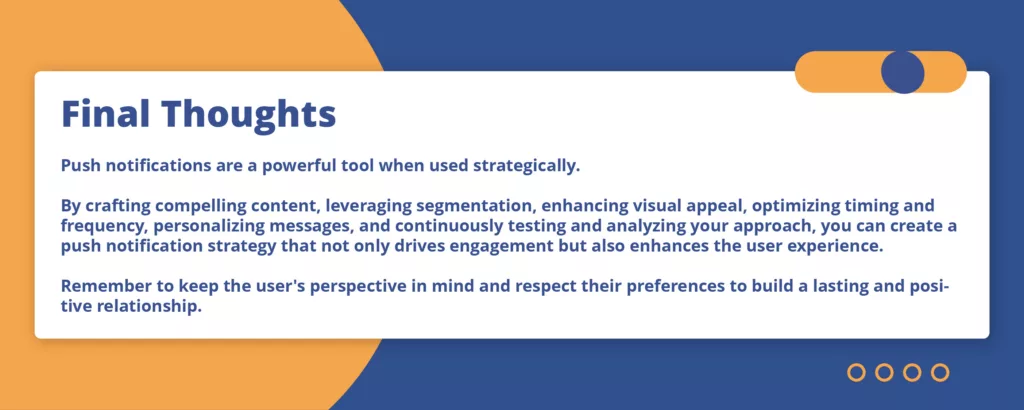
By applying these best practices and maintaining a data-driven, user-centric approach, you can develop a push notification strategy that not only drives results but also enhances the overall user experience. Remember that user preferences and behaviors evolve, so it’s crucial to view your push notification strategy as an ongoing process of refinement and optimization.
Additional Insights and Examples
Real-World Example: E-commerce Personalization
Company: Fashion Co.
Challenge: Increase engagement and conversions during the holiday season.
Strategy:
- Segmentation: Segmented users based on past purchase history and browsing behavior.
- Personalization: Used dynamic content to show products users had previously viewed or items similar to their past purchases.
- A/B Testing: Tested two different notification copy variations:
- Version A: “Hey [Name], your favorite styles are back in stock!”
- Version B: “Flash sale! 30% off your favorite styles!”
Results:
- Version A: 12% open rate, 4% click-through rate, 2% conversion rate.
- Version B: 15% open rate, 5% click-through rate, 2.5% conversion rate.
Conclusion: Version B performed better, indicating that users responded well to the urgency and clear benefit of the flash sale. Fashion Co. continued to use this approach and saw a 15% increase in holiday sales.
Case Study: News App Timing
Company: Daily News
Challenge: Increase morning engagement with breaking news.
Strategy:
- Timing: Analyzed user behavior to determine the optimal time for morning notifications.
- Content: Crafted notifications that were concise and emphasized the urgency of the news.
- A/B Testing: Tested different send times:
- Version A: 6:00 AM
- Version B: 7:00 AM
Results:
- Version A: 10% open rate, 3% click-through rate.
- Version B: 12% open rate, 4% click-through rate.
Conclusion: Version B performed better, suggesting that 7:00 AM was a more effective time to engage users with morning news. Daily News adjusted its notification schedule and saw a 20% increase in morning engagement.
Practical Tips for Implementation
- Start Small: Begin with one or two key areas of focus, such as personalization or timing, and gradually expand your efforts.
- Use Automation: Leverage automation tools to handle repetitive tasks, allowing your team to focus on strategy and analysis.
- Gather User Feedback: Encourage users to provide feedback on your push notifications, and use this input to make data-informed decisions.
- Stay Updated: Keep up with industry trends and best practices to ensure your strategy remains effective.
- Comply with Regulations: Ensure your push notification practices comply with relevant data protection regulations (e.g., GDPR, CCPA).
By following these practical tips and continuously refining your approach, you can harness the full potential of push notifications to build stronger relationships with your users and drive meaningful business results.