
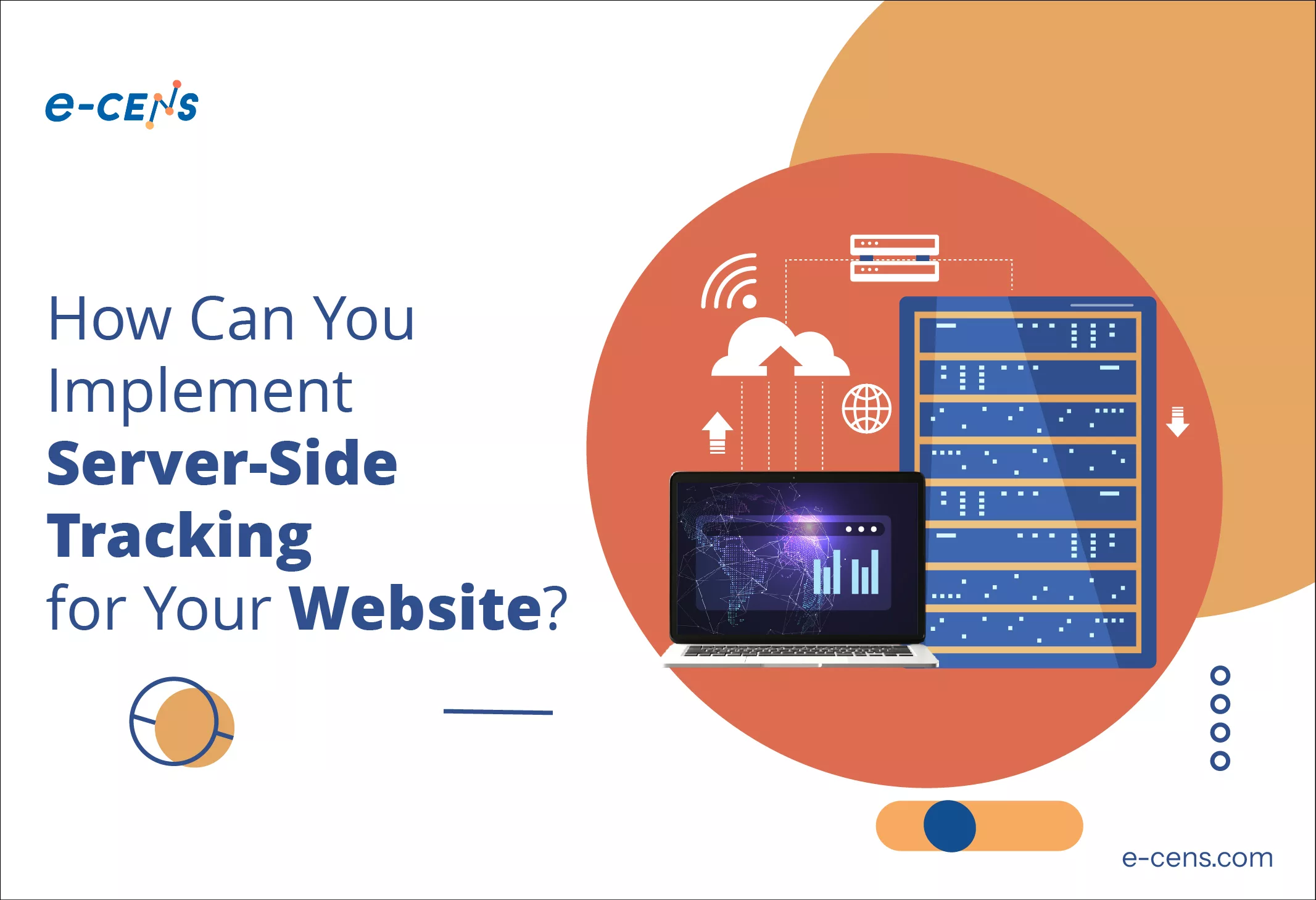
Implementing server-side tracking can seem daunting at first, but with the right approach and tools, it can be a straightforward process that yields significant benefits.
In this blog we will guide you through choosing the right server-side tracking solution, setting up server-side tracking on your web server, and best practices for migrating from client-side to server-side tracking.
Choosing the right server-side tracking solution (e.g., Google Tag Manager)
When evaluating server-side tracking solutions, businesses must consider several key factors to ensure they choose the best solution for their specific needs. Below is an analysis that includes a comparison with Google Tag Manager Server-Side (GTM SS), Adobe Experience Platform Launch server-side, Tealium EventStream, Segment, and MetaRouter.
1. Ease of Use
- Google Tag Manager SS: ★★★★☆
- Pros: Familiar interface for GTM users, extensive documentation.
- Cons: Requires some technical knowledge for advanced features.
- Adobe Experience Platform Launch: ★★★★☆
- Pros: User-friendly interface, comprehensive documentation.
- Cons: Can be complex for new users.
- Tealium EventStream: ★★★★☆
- Pros: Intuitive setup process, user-friendly interface.
- Cons: Some advanced features may require more expertise.
- Segment: ★★★★☆
- Pros: User-friendly, easy to set up.
- Cons: Some advanced features may require technical knowledge.
- MetaRouter: ★★★★☆
- Pros: User-friendly interface, extensive documentation.
- Cons: Some advanced features may require more technical expertise.
2. Scalability
- Google Tag Manager SS: ★★★★★
- Pros: Highly scalable, capable of handling large volumes of data.
- Cons: May require additional configuration for high-volume sites.
- Adobe Experience Platform Launch: ★★★★★
- Pros: Highly scalable, designed for enterprise-level needs.
- Cons: May require significant resources for large-scale implementations.
- Tealium EventStream: ★★★★★
- Pros: Highly scalable, capable of handling large volumes of data.
- Cons: May require additional resources for complex setups.
- Segment: ★★★★★
- Pros: Highly scalable, supports large volumes of data.
- Cons: May become costly as data volume increases.
- MetaRouter: ★★★★★
- Pros: Highly scalable, designed to handle large volumes of data.
- Cons: None significant.
3. Integrations
- Google Tag Manager SS: ★★★★★
- Pros: Seamless integration with Google’s ecosystem, wide range of third-party integrations.
- Cons: Requires Google Cloud Platform for some features.
- Adobe Experience Platform Launch: ★★★★★
- Pros: Seamless integration with Adobe products, wide range of third-party integrations.
- Cons: May be complex for non-Adobe users.
- Tealium EventStream: ★★★★★
- Pros: Wide range of pre-built connectors, supports custom integrations.
- Cons: Can be expensive for extensive integrations.
- Segment: ★★★★★
- Pros: Wide range of pre-built integrations, supports custom integrations.
- Cons: Can become costly with many integrations.
- MetaRouter: ★★★★★
- Pros: Wide range of pre-built integrations, supports custom integrations.
- Cons: None significant.
4. Data Governance
- Google Tag Manager SS: ★★★★☆
- Pros: Robust security features, compliance with major data protection regulations.
- Cons: May require additional configuration for complex compliance needs.
- Adobe Experience Platform Launch: ★★★★★
- Pros: Robust data governance features, advanced security measures.
- Cons: May be complex for non-Adobe users.
- Tealium EventStream: ★★★★☆
- Pros: Robust data governance features, advanced security measures.
- Cons: May require additional resources for complex compliance needs.
- Segment: ★★★★☆
- Pros: Robust data governance features, advanced security measures.
- Cons: May require additional resources for complex compliance needs.
- MetaRouter: ★★★★☆
- Pros: Robust data governance features, advanced security measures.
- Cons: May require additional resources for complex compliance needs.
5. Customization
- Google Tag Manager SS: ★★★★☆
- Pros: Custom tags and templates, flexible data collection.
- Cons: May not offer the same level of deep customization as some other platforms.
- Adobe Experience Platform Launch: ★★★★★
- Pros: Extensive customization options, custom rules and extensions.
- Cons: May require significant development resources.
- Tealium EventStream: ★★★★★
- Pros: Extensive customization options, real-time data orchestration.
- Cons: May require significant development resources.
- Segment: ★★★★★
- Pros: Extensive customization options, flexible data modeling.
- Cons: May require significant development resources.
- MetaRouter: ★★★★☆
- Pros: Extensive customization options, custom integrations.
- Cons: May require significant development resources for advanced customization.
Comparison Conclusion
Each server-side tracking platform has its strengths and is suitable for different business needs. Here’s a summary of the best use cases:
- Google Tag Manager SS: Best for businesses already using Google’s ecosystem and looking for a user-friendly, scalable solution.
- Adobe Experience Platform Launch: Ideal for enterprises with complex data governance needs and a requirement for AI-powered insights.
- Tealium EventStream: Perfect for organizations needing real-time data orchestration and a vast ecosystem of integrations.
- Segment: Suitable for businesses requiring flexible data modeling and a wide range of integrations.
- MetaRouter: Ideal for businesses looking for cost-effective, easy-to-manage solutions with a wide range of integrations and robust data governance.
By evaluating these factors, businesses can make an informed decision that aligns with their specific data management and analytics goals. MetaRouter stands out for its user-friendly interface, high scalability, extensive integrations, robust data governance, and level of customization, making it a strong contender for organizations of all sizes.
Steps to Set up Server-Side Tracking on Your Web Server
While the exact setup process will vary depending on your chosen solution, here’s a general guide using Google Tag Manager Server-Side as an example:
- Create a server container:
Log into Google Tag Manager and create a new server container.
This will prompt you to set up a Google Cloud Platform (GCP) project.
- Set up your GCP project:
Follow the prompts to create a new GCP project or select an existing one.
Enable billing for the project (required for server-side GTM).
- Configure your server:
Choose your server location and settings.
GTM will automatically set up the necessary App Engine and Cloud Run instances.
- Set up a custom domain (recommended):
Configure a subdomain (e.g., analytics.yourdomain.com) to point to your server.
This enhances privacy and reduces the likelihood of being blocked by ad blockers.
- Create and configure clients:
In your server container, set up “clients” to process incoming data.
The Google Analytics 4 (GA4) client is included by default; you may need to add others.
- Set up tags, triggers, and variables:
Configure server-side tags to send data to your various endpoints (analytics platforms, marketing tools, etc.).
Set up triggers to determine when these tags should fire.
Create variables as needed to manipulate or enrich your data.
- Update your website code:
Modify your existing GTM web container or analytics code to send data to your server-side endpoint instead of directly to analytics platforms.
- Test thoroughly:
Use the preview mode to test your server-side setup.
Verify that data is being received and processed correctly.
- Publish your changes:
Once testing is complete, publish your server container and update your production website.
Best Practices for Migrating From Client-Side to Server-Side Tracking
Transitioning from client-side to server-side tracking requires careful planning and execution. Here are some best practices to ensure a smooth migration:
- Start with a hybrid approach:
- Begin by sending data to both client-side and server-side setups.
- This allows you to compare data and ensure accuracy before fully switching.
- Migrate incrementally:
- Start with a few key events or a subset of your traffic.
- Gradually increase the proportion of data flowing through the server-side setup.
- Maintain data continuity:
- Ensure that your server-side implementation preserves important parameters and structures from your client-side setup.
- This helps maintain consistency in your analytics data.
- Document changes thoroughly:
- Keep detailed records of all changes made during the migration.
- This will be invaluable for troubleshooting and future optimizations.
- Update data processing rules:
- Adjust any filters, custom dimensions, or calculated metrics in your analytics platforms to account for the new data structure.
- Retrain your team:
- Provide training on the new server-side setup to relevant team members.
- Ensure they understand how to debug and maintain the new system.
- Monitor performance closely:
- Keep a close eye on your website’s performance metrics during and after the migration.
- Look for improvements in load times and Core Web Vitals.
- Validate data accuracy:
- Regularly compare server-side data with any remaining client-side tracking to ensure consistency.
- Investigate and resolve any discrepancies promptly.
- Optimize for cost:
- Monitor your server usage and costs, especially if using a cloud platform.
- Optimize your setup to balance performance and cost-effectiveness.
- Stay compliant:
- Review your privacy policies and consent management processes to ensure they align with your new server-side setup.
- Make any necessary updates to maintain compliance with relevant regulations.
By following these steps and best practices, you can successfully implement server-side tracking and begin reaping its benefits.
Remember that this is an iterative process – continual monitoring, optimization, and refinement will help you maximize the value of your server-side tracking implementation.
What Challenges Might You Face When Implementing Server-Side Tracking?

While server-side tracking offers numerous benefits, its implementation is not without challenges. Understanding these potential hurdles and how to address them is crucial for a successful transition. This section will explore the technical challenges, the impact on marketing and analytics teams, and strategies for ensuring data consistency across tracking methods.
Addressing potential technical hurdles and compatibility issues
Implementing server-side tracking can introduce several technical challenges:
Complex setup process:
Server-side tracking often requires setting up and managing cloud infrastructure.
- Solution: Start with managed solutions like Google Tag Manager server-side before considering fully custom implementations.
Integration with existing systems:
Your current tech stack may not be immediately compatible with server-side tracking.
- Solution: Conduct a thorough audit of your existing systems and plan integrations carefully. Consider using APIs or middleware to bridge compatibility gaps.
Data format inconsistencies:
Different analytics and marketing platforms may expect data in different formats.
- Solution: Implement data transformation logic in your server-side setup to format data appropriately for each endpoint.
Handling high traffic volumes:
Server-side setups need to be scalable to handle traffic spikes.
- Solution: Use cloud platforms with auto-scaling capabilities or implement load balancing for custom setups.
Debugging complexity:
Server-side issues can be more challenging to diagnose than client-side problems.
- Solution: Implement robust logging and monitoring. Familiarize your team with server-side debugging tools and processes.
Cookie management:
Transitioning from client-side to server-side cookie management can be tricky.
- Solution: Carefully plan your cookie strategy, considering factors like expiration times and cross-domain tracking needs.
SSL/TLS configuration:
Proper SSL/TLS setup is crucial for securing data in transit.
- Solution: Use reputable SSL certificates and keep your security configurations up to date.
API rate limits:
Some platforms impose rate limits on API calls, which can be hit more easily with server-side setups.
- Solution: Implement queuing systems or batch processing to manage API calls efficiently.
Managing the Transition for Your Marketing and Analytics Teams
The shift to server-side tracking doesn’t just impact technical teams; it also affects how marketing and analytics professionals work with data:
Learning curve:
Team members may need to learn new tools and concepts.
- Solution: Provide comprehensive training and resources. Consider bringing in external experts for workshops or consultations.
Changes in data access:
Server-side setups may change how and where data is accessed.
- Solution: Ensure teams have appropriate access to server-side data and tools. Create documentation on new data access procedures.
Workflow disruptions:
Existing processes for tag management and data analysis may need to be updated.
- Solution: Gradually introduce new workflows alongside existing ones. Provide ample time for teams to adapt before fully transitioning.
Resistance to change:
Some team members may be hesitant to adopt new methods.
- Solution: Clearly communicate the benefits of server-side tracking. Involve team members in the planning process to foster buy-in.
Increased reliance on IT:
Marketing teams may need more support from IT for server-side operations.
- Solution: Foster collaboration between marketing and IT teams. Consider creating cross-functional teams to manage the server-side setup.
Reporting inconsistencies:
Changes in data collection methods may lead to discrepancies in reports.
- Solution: Prepare teams for potential shifts in metrics. Provide guidance on interpreting data from the new setup.
Tool compatibility:
Some marketing tools may not be fully compatible with server-side data collection.
- Solution: Work with vendors to find server-side compatible solutions. Be prepared to replace tools that can’t be adapted.
Ensuring Data Consistency Across Tracking Methods
Maintaining consistent data quality and interpretation is crucial when transitioning to server-side tracking:
Dual tracking during transition:
- Implement both client-side and server-side tracking simultaneously during the transition.
- Use this period to compare data and identify discrepancies.
Data mapping:
- Create detailed mappings between client-side and server-side data structures.
- Ensure all important parameters and events are accurately translated in the server-side setup.
Regular audits:
- Conduct frequent data audits to catch and address inconsistencies early.
- Use automated tools to compare key metrics between client-side and server-side data.
Version control:
- Implement strict version control for server-side configurations.
- This allows you to track changes and rollback if inconsistencies are introduced.
Testing environment:
- Set up a robust testing environment that mirrors your production setup.
- Use this to validate changes before they impact live data.
Documentation:
- Maintain detailed documentation of your data collection and processing logic.
- This helps ensure consistency as different team members work on the setup.
Data governance:
- Establish clear data governance policies that apply across all tracking methods.
- This helps maintain data quality and consistency regardless of the collection method.
User ID reconciliation:
- Implement a robust system for reconciling user IDs across client-side and server-side tracking.
- This is crucial for maintaining accurate user journeys and attribution.
Custom dimensions and metrics:
- Carefully translate any custom dimensions and metrics from client-side to server-side.
- Ensure these are consistently defined and populated in both setups.
Regular stakeholder updates:
- Keep all stakeholders informed about the progress of the transition and any data discrepancies.
- Provide clear explanations for any differences observed between tracking methods.
By anticipating these challenges and implementing thoughtful solutions, you can smooth the transition to server-side tracking.
Remember that this process is often iterative – continuous monitoring, adjustment, and optimization are key to success.
The shift to server-side tracking represents a significant change in how data is collected and processed, but with proper planning and execution, it can lead to more robust, accurate, and privacy-compliant data collection practices.
How Does Server-Side Tracking Impact User Privacy and Data Protection?

In an era of increasing privacy concerns and stringent data protection regulations, server-side tracking offers both opportunities and challenges when it comes to user privacy.
This section will explore how server-side tracking can help balance data collection needs with privacy concerns, ensure compliance with data protection regulations, and build trust through transparent data handling practices.
Balancing data collection needs with user privacy concerns
Server-side tracking provides several mechanisms to enhance user privacy while still meeting business data needs:
Reduced client-side data exposure:
- Server-side tracking minimizes the amount of data exposed in the user’s browser.
- This reduces the risk of sensitive information being accessible to malicious scripts or browser extensions.
IP address obfuscation:
- Server-side setups can easily mask or remove IP addresses before sending data to third-party services.
- This helps protect user anonymity while still allowing for general geographic data.
Data minimization:
- With server-side control, businesses can implement strict data minimization practices.
- Only necessary data points are collected and passed on to various endpoints, reducing overall data exposure.
Enhanced consent management:
- Server-side tracking allows for more granular control over what data is collected and shared based on user consent.
- This enables businesses to respect user preferences more accurately across all data flows.
Fingerprinting prevention:
- By processing data server-side, businesses can reduce the amount of information available for browser fingerprinting techniques.
- This helps protect user privacy by making it harder to track individuals across sites.
Custom data retention policies:
- Server-side environments allow for implementation of custom data retention policies.
- Data can be automatically deleted or anonymized after specified periods, enhancing privacy protection.
Secure data transit:
- Server-side tracking allows for enhanced encryption and security measures for data in transit.
- This reduces the risk of data interception between the website and analytics platforms.
Compliance with data protection regulations (e.g., GDPR, CCPA)
Server-side tracking can significantly aid in compliance with various data protection regulations:
Centralized data control:
- Server-side setups provide a central point of control for all data collection and distribution.
- This makes it easier to implement and enforce compliance policies across all data flows.
Consent management:
- GDPR and CCPA require user consent for certain types of data collection and processing.
- Server-side tracking allows for real-time enforcement of consent choices across all connected platforms.
Data access and deletion requests:
- Regulations often require businesses to provide users with access to their data and the ability to request deletion.
- Centralized server-side data collection makes it easier to locate and manage all data associated with a specific user.
Data minimization and purpose limitation:
- Server-side control allows businesses to enforce data minimization principles strictly.
- Only data necessary for specified purposes is collected and processed, aligning with GDPR requirements.
Cross-border data transfers:
- Server-side setups can be configured to respect geographical data storage requirements.
- This helps in complying with regulations around international data transfers.